¶ Rule Engine
Rule Engine is a powerful tool for creating real-time alarms based on custom rules, offering more flexibility than simple threshold-based alarms. Here's a breakdown of how to use it:
-
Viewing Existing Rules:
- In the Rule Engine section, a table displays any previously created rules.
- The Add button allows you to create new rules.
-
Creating a New Rule:
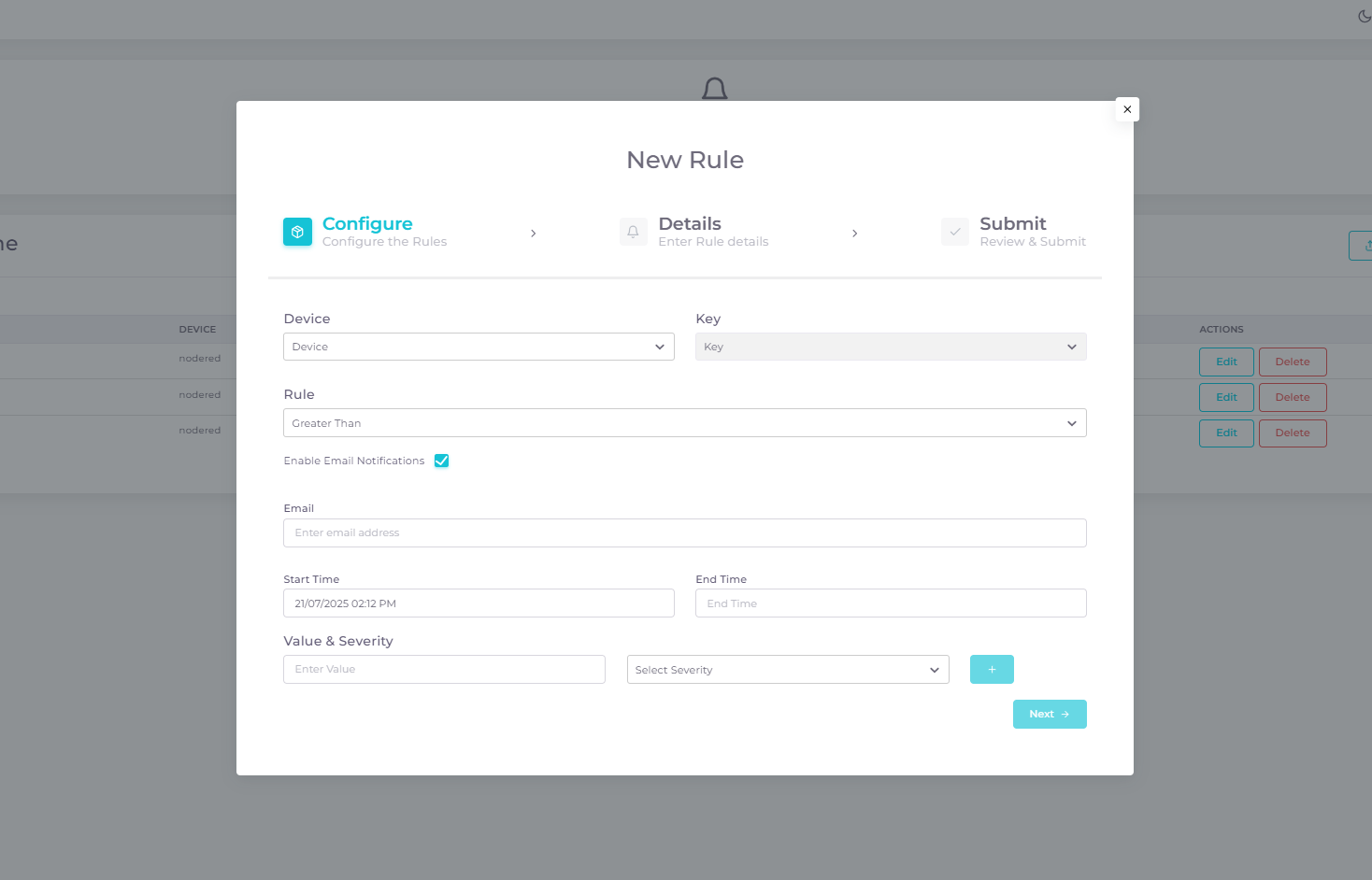
- After clicking Add, you will be directed to a page where you can choose a device and parameter to set the rule for.
-
Setting Up the Rule:
- Configure the rule using the following options:
- Comparison-Based Rule:
- Select a comparison operator (e.g., Greater than, Less than, Equal to, etc.).
- Enter a threshold value in the Value Input Box.
- Choose a severity level from the Severity Dropdown (options: Critical, Major, Minor, Warning). The severity is tied to the selected rule and threshold.
- If the latest value breaches the threshold, an alarm with the specified severity is generated.
Can select a Start Time and End Time to define the period during which the rule is active.
- Comparison-Based Rule:
- Configure the rule using the following options:
-
Notification Setup:
- After setting the rule, you will need to name your alarm and provide relevant tags.
- There is a checkbox to enable Gmail notifications. Provide an email address to receive updates.
-
Review and Submit:
- On the final screen, verify all details are correct and submit to create the rule.
By using the Rule Engine, you can set up complex rules based on real-time data, aggregated data, or any combination that suits your needs, and receive notifications accordingly.