¶ Device Integration
¶ HTTP
Data can be inserted to vvac platform using http requests. For that you can use the url
url: https://data.volkkommen.com/data/api/v1/telemetry/{userID}.
method: POST
The userID at the end of the url can be found in the device table setup section. You also need the unique token which is available in the device table to append in the request body.
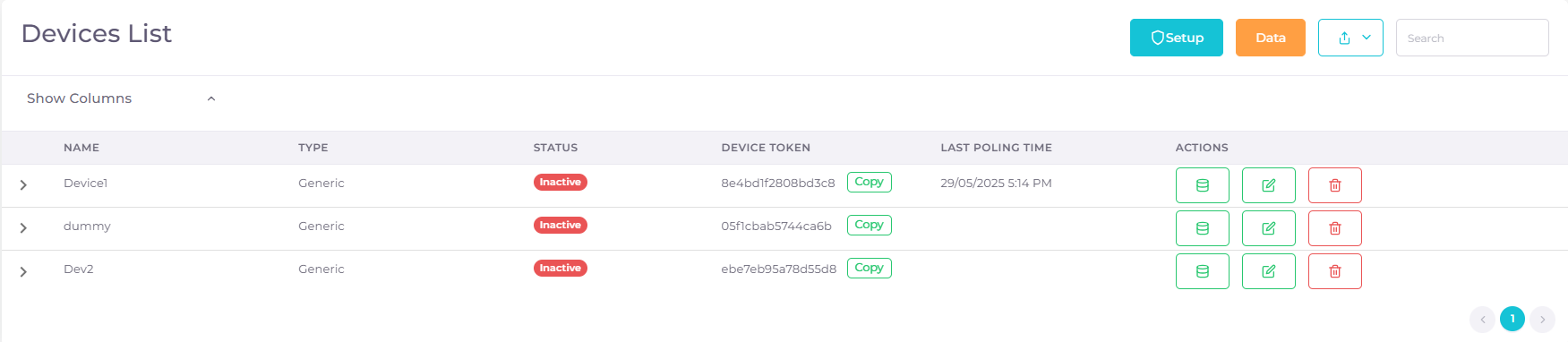
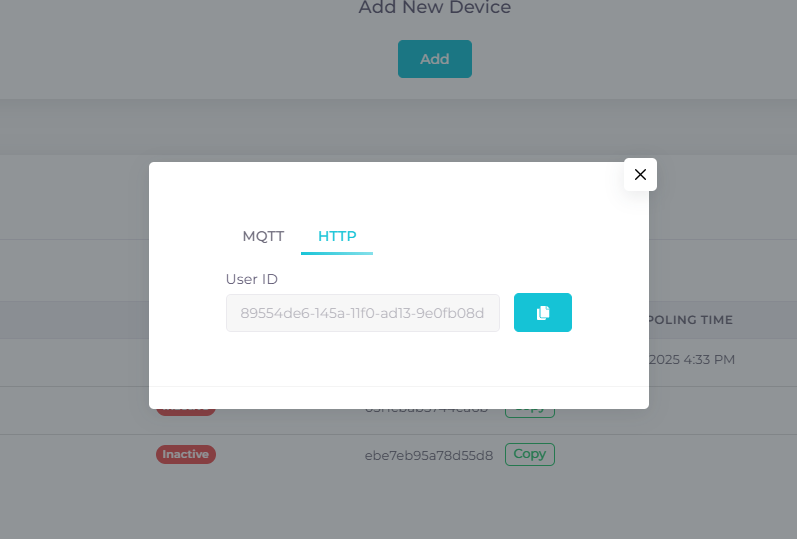
This http request body should contain the data to be inserted and it should be in the provided format.
body: {
	"token": {token}   //unique token from device table
	"Parameter1":value1,
	"Parameter2":value2,
	...
}
for example,
{
	"token": "XXXXXX"
	"Temperature":30,
	"Humidity":40,
	"Current":3
}
If the response status is 201 then the data is inserted successfully. You can view the latest inserted data in the telemetry section in the device table (first button in actions). Telemetry shows the latest data of every parameters associated with the device.
By following this format one can insert data to a specific device in the platform.
¶ MQTT
In vvac we provide a dedicated MQTT server data.volkkommen.com, for users to send data. User will be given a topic for each device which will be unique for ensuring data security. The data that sent by the user is visible in the platform telemetry section only. Viewing the data from MQTT is prohibited for ensuring data safety.
By MQTT one can send data to platform by using the topic data/v1/{token}.
The token is available in the device table near every device. Each device have separate token.
User can use any tools like node, node-red etc.. to send data. The MQTT credentials can be set by user using the MQTT section on top of device table near data button.
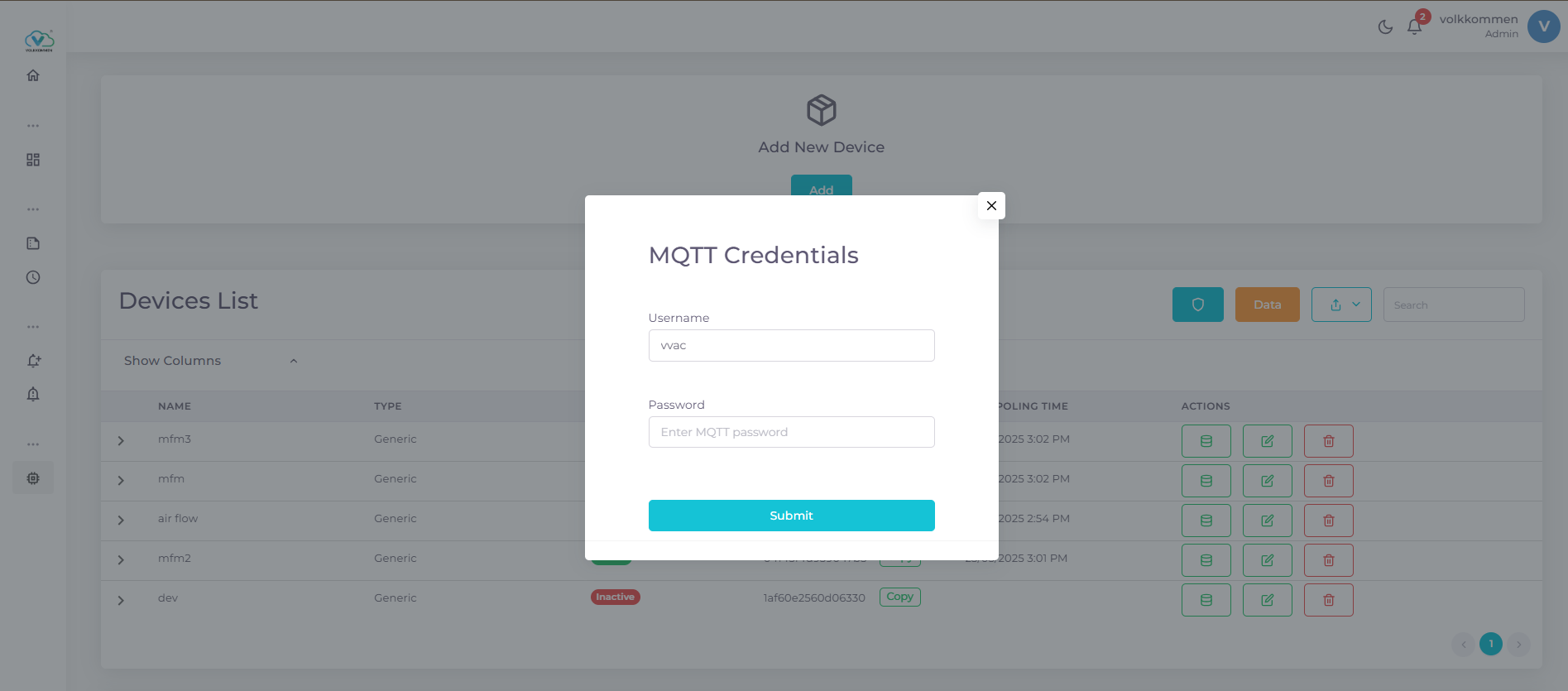
After setting the desired username and password use that to configure MQTT and send data in the format given,
{
	"Temperature":30,
	"Humidity":40,
	"Current":3
}
The provided data will be inserted automatically to the platform on respective device. You can view the latest data on the device telemetery section.