¶ Device Creation
In V-VAC, creating a device is as simple as connecting dots on a blueprint when the path is already outlined.
By selecting the Device section in the dashboard, you will be redirected to a page where you can create new devices and view details of existing ones.
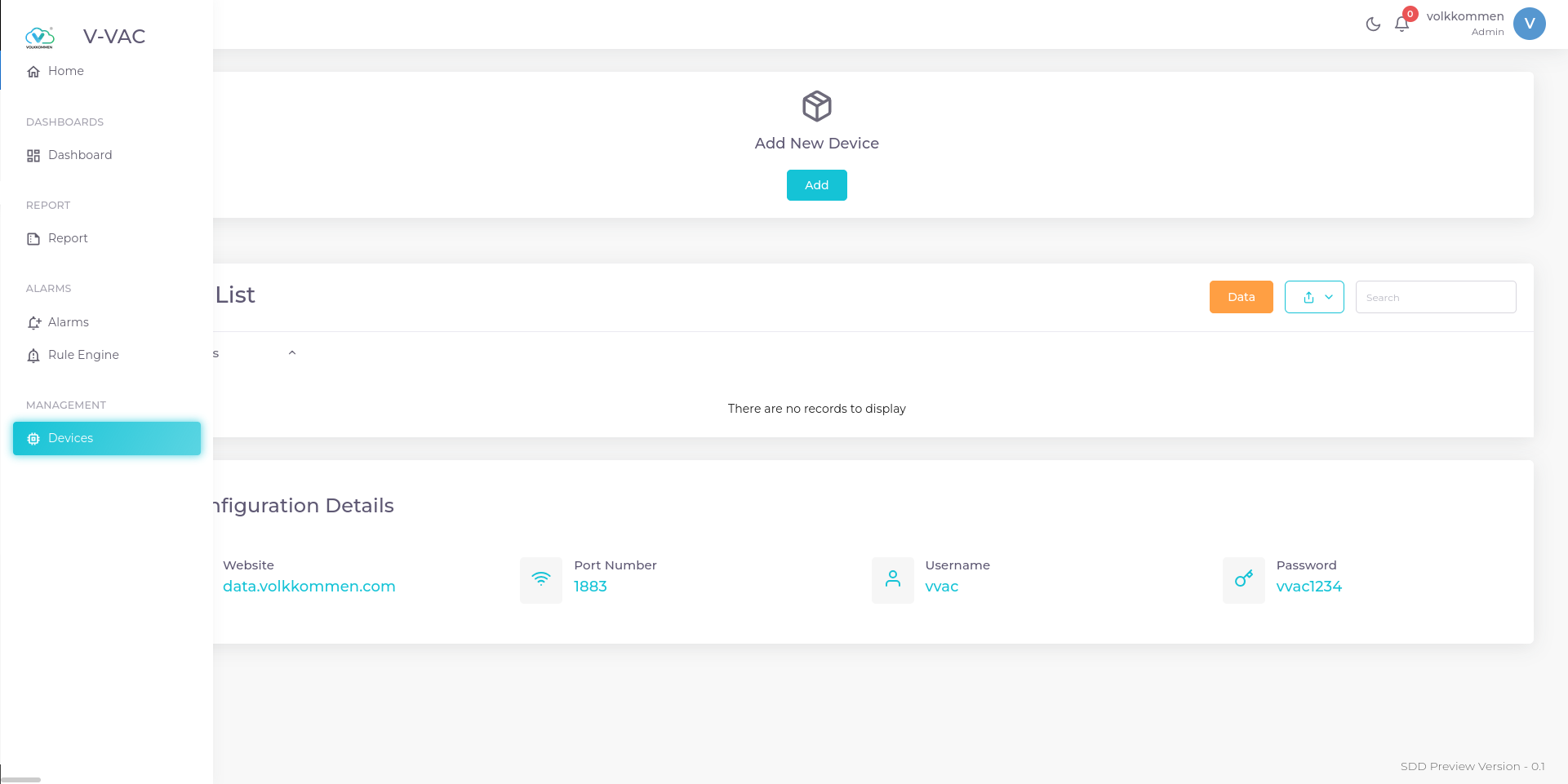
To create a device, click the Add button. A window will appear with options to create a single device or multiple devices at once.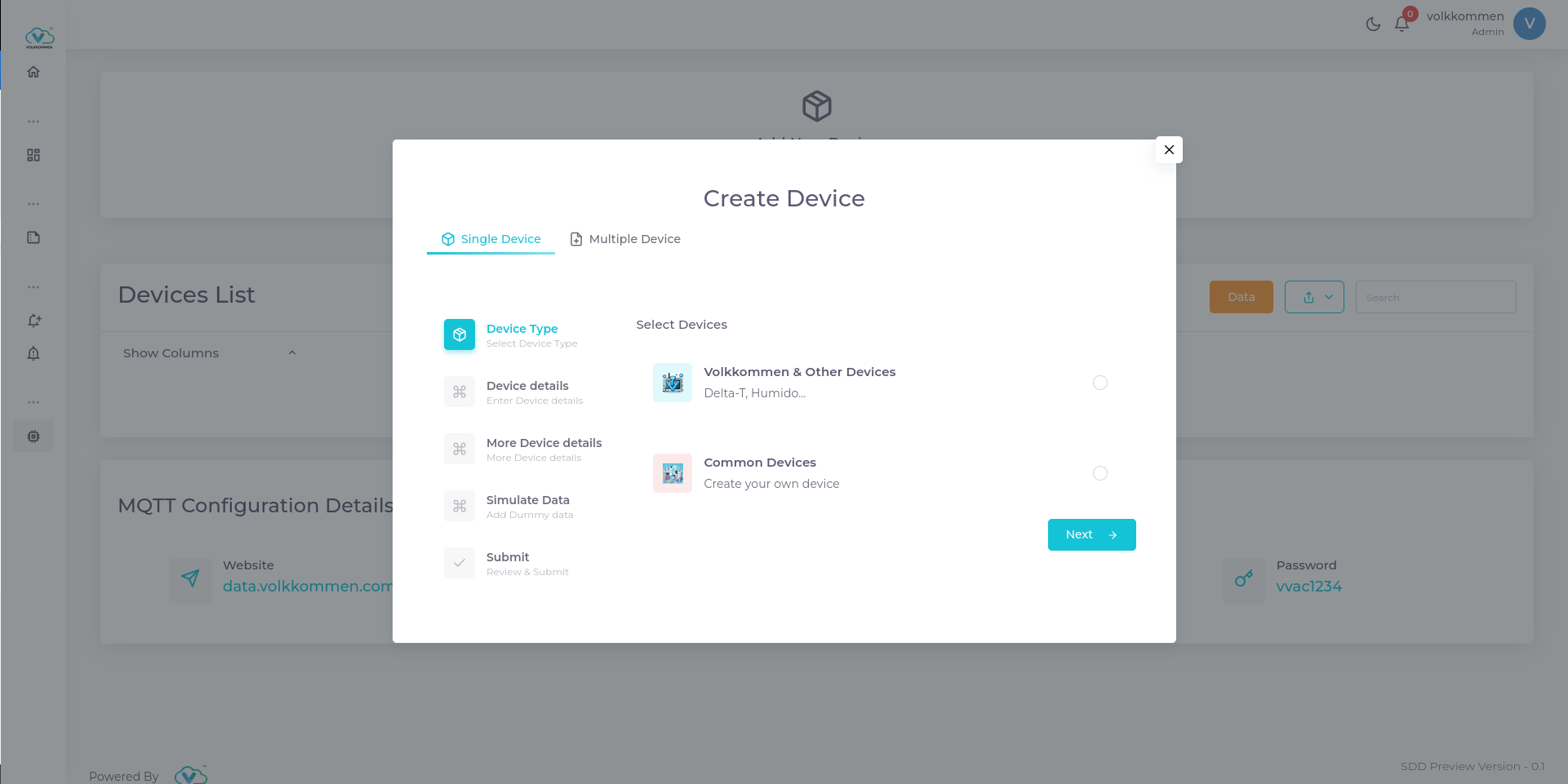
¶ Creating a device
To create a device, follow the steps below:
-
Select Common Devices and proceed to the next page, where you will be prompted to enter the device name, label, and additional information.
-
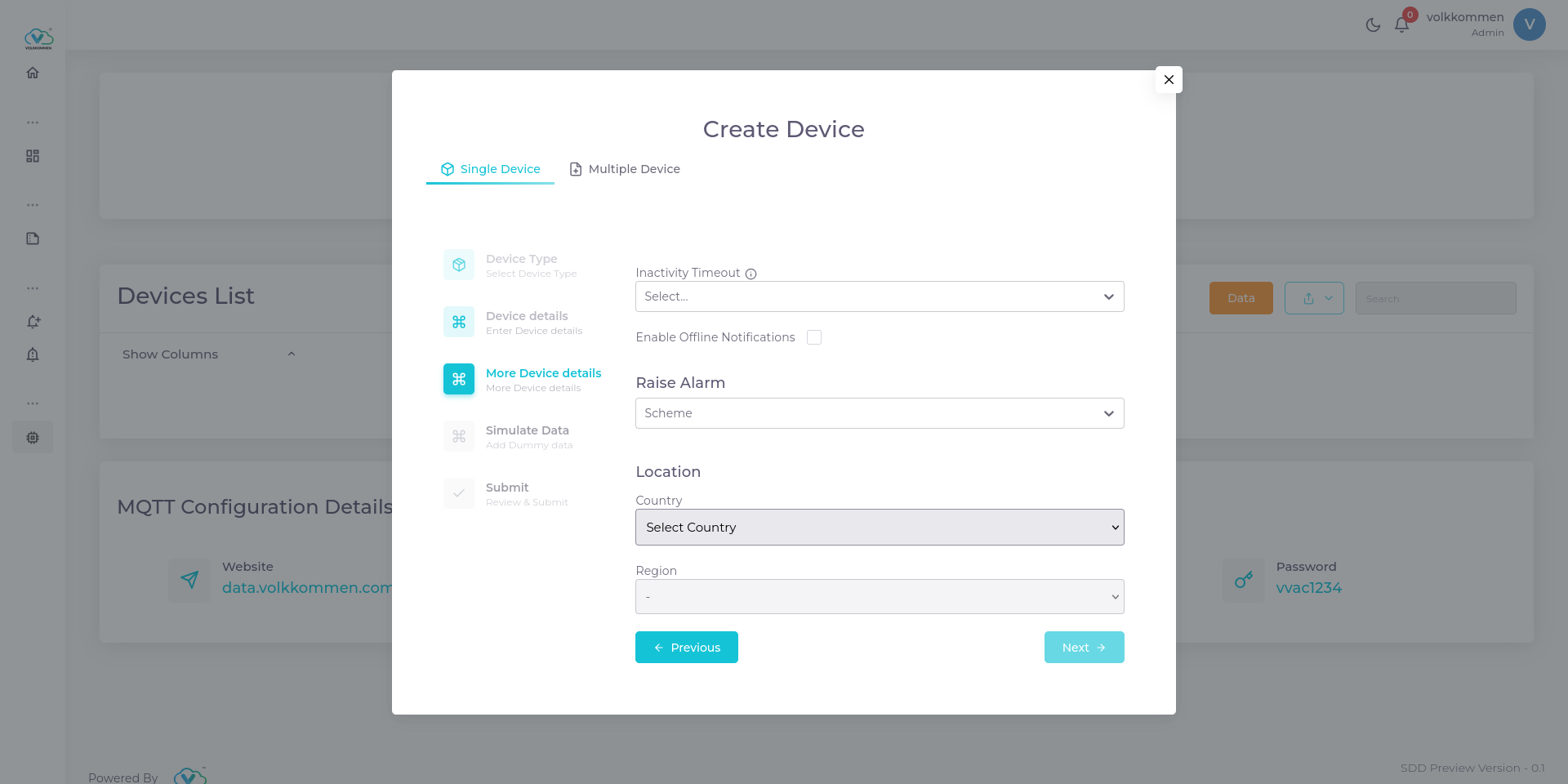
In the next section, you will find several useful features:
¶ Inactivity timeout
Here you can select a time from the selection, which will be opted as the inactivity timeout of your device. i.e., if the device doesn't send data to the platform for this time, platform will consider your device as inactive. On the home screen we can see the list of connected and disconnected devices.
¶ Enable notification
By ticking the check box, you will be notified via mail that your device is disconnected.
¶ Raise Alarms
You can raise alarms for device inactivity. There are 3 options for you to select the logic for generating alarms.
- Real Time
Selecting this option will send a notification every time the device goes offline. - Count
This method triggers an alarm when the device disconnects a specified number of times. You will be prompted to enter the number of disconnections after which you want to be notified. - Interval
In this method, you will be prompted to enter a time interval (in hours). An alarm is generated only if the device remains disconnected continuously for the specified duration. This is useful when the polling time is inconsistent or when occasional missed polls are not a concern.
You can choose the alarm type based on your requirements. Real-time alarms are ideal for highly critical systems, while the other options depend on your specific needs.
The generated alarms can be viewed on the Alarms page, and the latest alarms are also displayed on the Home page.
¶ Location
You can select the device's location by choosing the appropriate country and region from the selection options.
- Real Time
-
On the next page, you will find a checkbox to enable data simulation. This feature is useful when you need to create and visualize a dashboard but don’t have an active device to provide data. However, remember to delete the simulated data once you connect a real device. Proceed by clicking the Next button, where you can review all the details you have entered. Verify the information and click Submit to create your device.
¶ Creating multiple devices
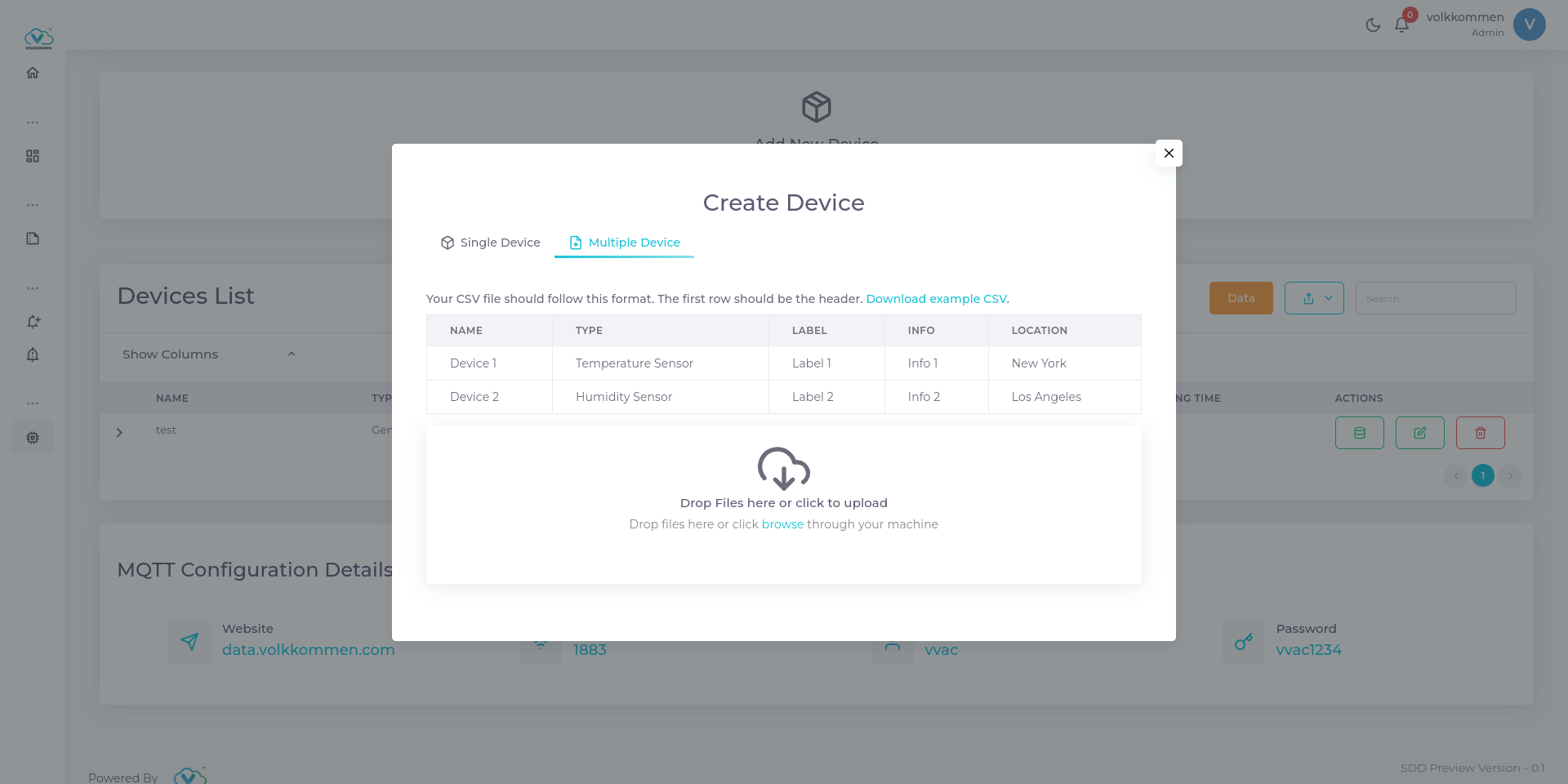
In V-VAC, creating multiple devices at once is simple and efficient. For projects like EnMS, HVAC, and similar applications, manually creating each device can be time-consuming.
To create multiple devices:
- Click the Add button and navigate to the Multiple Device tab.
- You will see the required CSV file format displayed on the screen.
- Create a CSV file following this format and upload it.
- Once uploaded, your devices will be created instantly.